
QR ordering + billing for restaurants
Let your tables take the orders.
Guests scan, order and pay from their phones. Every order reaches your kitchen with its table number, and the bill writes itself.
- 15 days free
- No card needed
- We set it up with you
Saffron Table
North Indian · Cafe
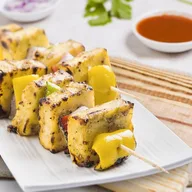
Paneer Tikka
Smoky, with mint chutney
₹280
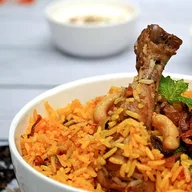
Chicken Biryani
Dum-cooked, with raita
₹320

Chilli Potato
Crispy, honey-chilli glaze
₹180
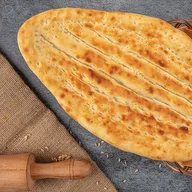
Butter Naan
From the tandoor
₹40
4 items
₹540 + GST
Pay & order →
KOT #1042
8:42 PM
Table 7
- 1 × Paneer Tikka
- 1 × Chilli Potato
- 2 × Butter Naan
PAID · UPI · ₹567
Launch partner
Maholi Rasoi & Cafe
First kitchen going live on OQwik
Guests pay the way they already do
- UPI
- Debit & credit cards
- Net banking
- Wallets
What changes on day one
Less running. Fewer mistakes. Money in before the plates are cleared.
Orders start the moment guests sit down
Nobody waits to catch a waiter's eye. The menu is already on their phone, so the first order goes in within minutes and the table turns sooner.
Every order lands on the right table
The QR knows which table it sits on. Each order carries that table number from the guest's phone to the kitchen ticket to the bill, so no one has to remember it.
Paid before they ask for the bill
Guests pay online when they order. No waiting at the counter, no chasing a table that left, and every payment is matched to its order automatically.
How it works
Follow one order at Table 7, from scan to served
This is what happens on a busy evening once OQwik is on your tables. Nobody walks an order slip anywhere, and nobody has to remember which table ordered what.
- Table
- 7
- Paid
- ₹567
- Scan to served
- 18 min
Sample order #1042 at Table 7, from 8:40 PM to 8:58 PM.
- 1Guest
Sits down and scans the table QR
The QR on Table 7 opens your menu in the phone's browser. Nobody downloads an app or waits for a waiter to bring menus.
- Works with any phone camera
- Table number captured automatically
Table 7
Scan to order & pay
by OQwik
Point at the QR
Table 7 detected - 2Guest
Browses your menu and builds the order
Photos, prices, veg and non-veg markers, and options like portion size. Dishes you mark sold out disappear instantly.
- Your logo and brand colours
- Options and add-ons per dish
STSaffron Table
Table 71Paneer Tikka
Smoky, with mint chutney
₹280
2Butter Naan
From the tandoor
₹40
 ADD
Masala Chai
Ginger and cardamom
₹40
4items · ₹540View cart → - 3Guest
Pays online in one tap
UPI, cards, net banking or wallets. The order is only sent once the payment succeeds, so there are no unpaid tables to chase.
- ₹567 paid by UPI, GST included
- Payment matched to Table 7
Pay for Table 7
incl. GST
₹567
- UPIGPay, PhonePe, Paytm
- CardDebit or credit
- Net bankingAll major banks
- Wallets
Paid · UPI - 4Kitchen
The kitchen gets a KOT tagged Table 7
The order appears on your kitchen board and prints on your thermal printer. Staff move it from New to Preparing to Ready, and the guest sees each update.
- No handwritten slips
- Live order status for the guest
New
Preparing
Table 3
- 2× Chicken Biryani
- 1× Masala Chai
Ready
Table 12
- 1× Paneer Tikka
- 5Owner
Food served, bill closed, table free
The GST bill is already made and on the guest's phone. Today's sales on your dashboard update by themselves.
- CGST and SGST worked out
- Table ready for the next guests
Saffron Table
Tax invoice · Bill B-2291 · Table 7
- 1× Paneer Tikka₹280
- 1× Chilli Potato₹180
- 2× Butter Naan₹80
- Subtotal₹540
- CGST 2.5%₹13.50
- SGST 2.5%₹13.50
Total₹567
PAID · UPI
Today's sales
₹18,240
Table 7FreeBill sent to guest
Everything in one system
Built for a real Saturday-night rush
A QR for every table
Each table gets its own code, so every order arrives already tagged with where to take it.
A menu you can change in seconds
Edit prices, add today's special or mark a dish sold out. Guests see it on their next scan.
Online payments built in
UPI, cards, net banking and wallets at checkout, with every payment matched to its order.
Live kitchen board
New orders appear the second they're paid. Move them from preparing to ready to served.
KOT and bill printing
Send kitchen tickets and bills to a thermal printer, so the cook's routine doesn't change.
GST bills, done for you
Every order becomes an itemised bill with taxes worked out. Guests get it on their phone.
Counter and walk-in orders
Staff can punch in orders for guests who'd rather talk, so every sale runs through one system.
Sales reports
See today's takings, your best-selling dishes and your busiest tables without adding up a single slip.
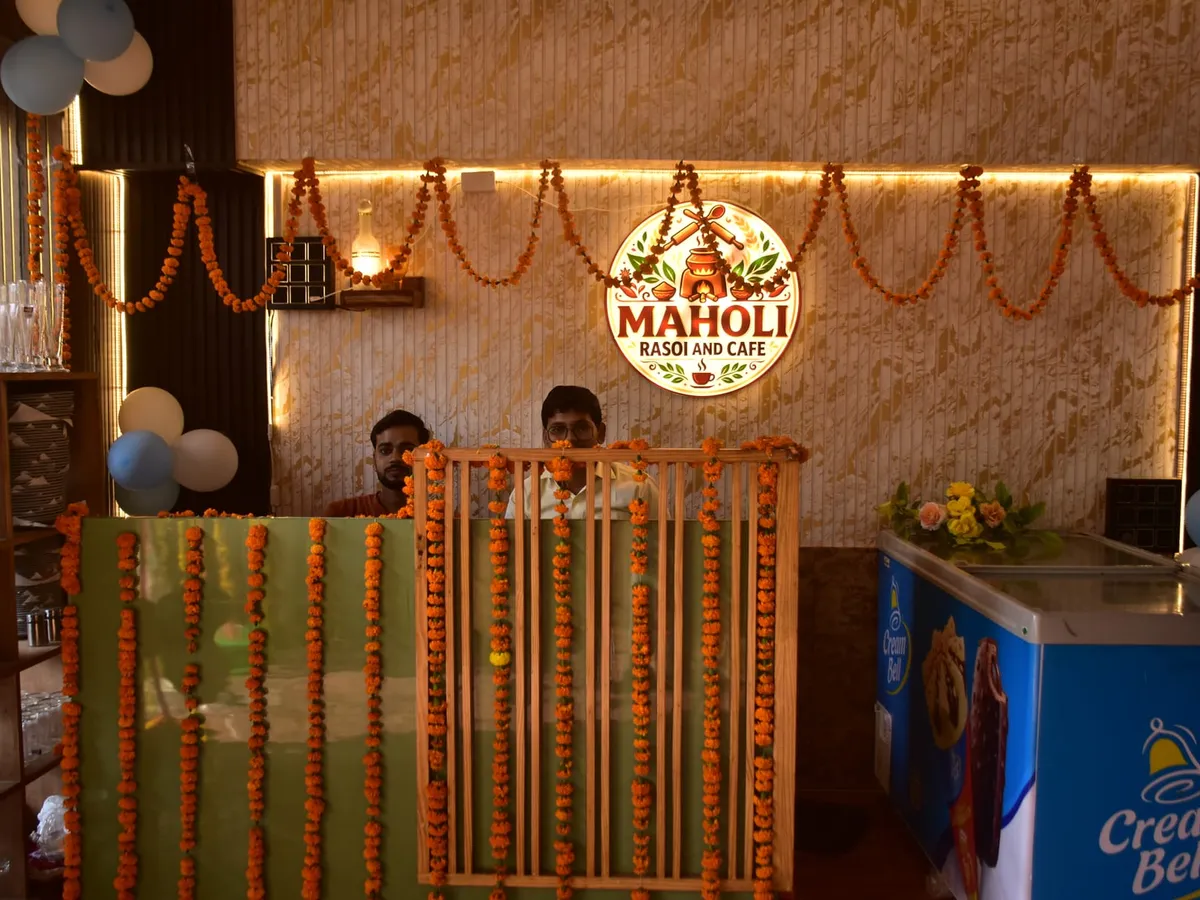
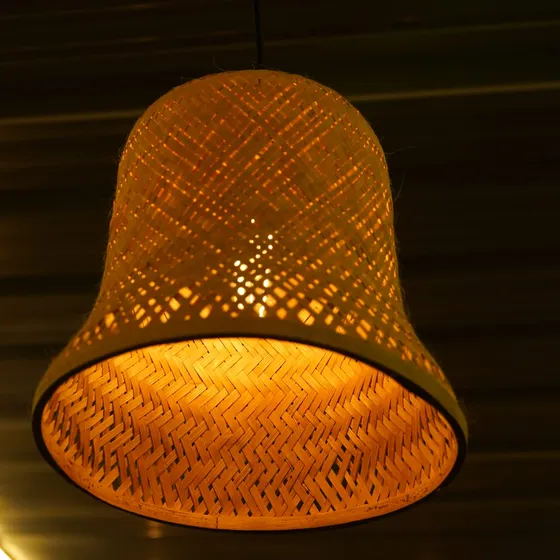
Launch partner · Maholi Rasoi & Cafe
On a full evening my team spent half its time walking orders between tables and the kitchen. Now the orders come to us already paid and already on the right table, and my staff can give that time back to our guests.
Pricing
One plan per outlet. Everything included.
Pricing depends on your outlet and number of tables, so we quote it on a short call. Your first 15 days cost nothing either way.
OQwik for your restaurant
15 days freeFree for 15 days
then a simple monthly plan, quoted for your outlet
- QR codes for all your tables
- Digital menu with photos and options
- Online payments at the table
- Live kitchen board and KOT printing
- Automatic GST billing
- Sales reports
- Menu setup and staff training from our team
FAQ
Questions owners ask us first
Do my guests need to download an app?
No. Scanning the table QR opens your menu in the phone's browser. It works on any smartphone with a camera.
What do I need to get started?
Your menu and an internet connection. Your team runs the kitchen board on a phone, tablet or laptop. A thermal printer is optional if you want printed KOTs and bills.
How does the free trial work?
Send us your details on WhatsApp from the form below. We load your menu, set up QR codes for your tables and show your staff the kitchen board. You use everything free for 15 days, with no card required.
How do online payments reach my bank account?
Payments go through a licensed payment gateway and are settled to your bank account. We help you connect your account during setup.
Can staff still take orders the old way?
Yes. Staff can enter counter or walk-in orders from the dashboard, so every order goes through the same kitchen board and bill.
Can I change my menu and prices myself?
Anytime, from your dashboard. Mark a dish sold out, update a price or add a special, and guests see it on their next scan.
What happens after the 15 days?
You decide. Keep going on a monthly plan quoted for your outlet, or stop. There's no card on file, so nothing is charged automatically.
15 days free
Run your next rush without running between tables.
Tell us about your restaurant. Your details open in WhatsApp, ready to send. We reply to set up your menu and table QRs, and your 15-day free trial starts the day you go live.
Prefer to chat right now?WhatsApp +91 63933 74440